Microsoft may have finally fixed Windows search by turning it into a chatbot
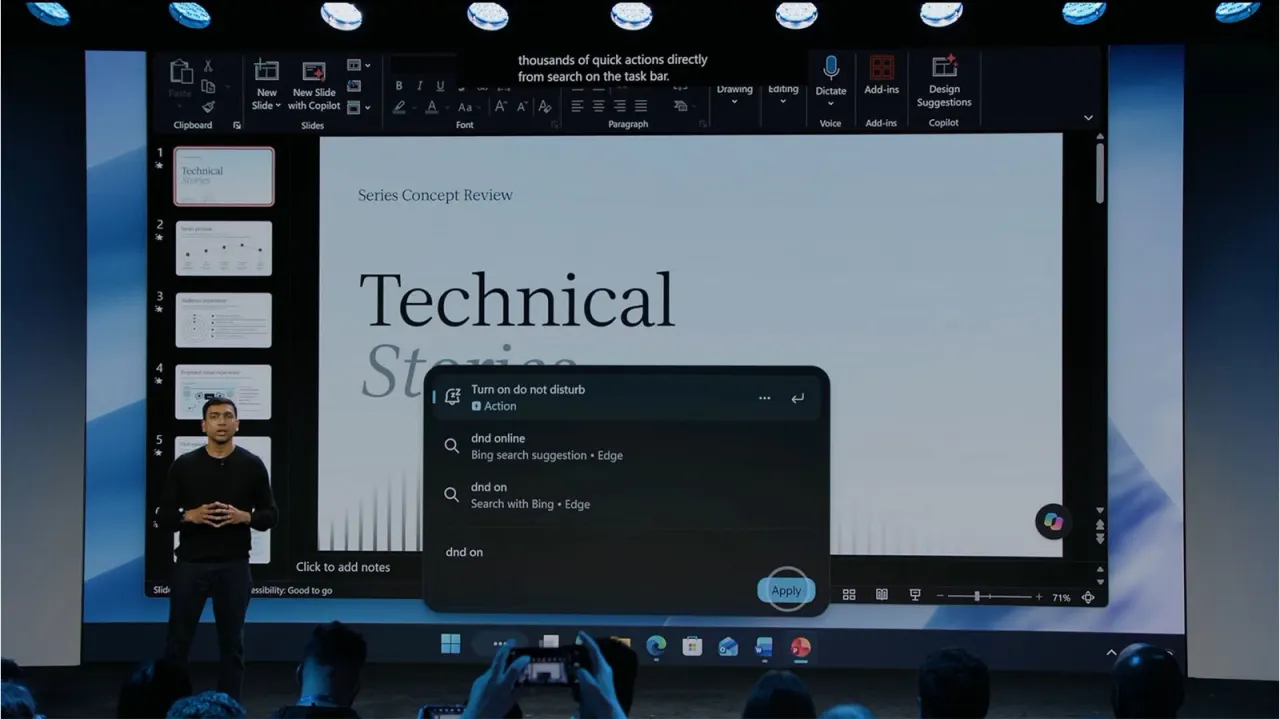
Microsoft is redesigning Windows 11's search function into an AI-powered chatbot interface, enabling users to execute thousands of actions through typed commands. The new Search Menu can toggle settings like dark mode and do not disturb, control volume with visual sliders, and send text messages via paired phones, all without launching separate applications. Microsoft executive Pavan Davuluri positioned this as part of the company's vision to integrate AI into everyday Windows usage.
The feature will roll out this autumn alongside Hybrid Intelligence, a new suite of tools enabling PCs to run AI models locally. This hybrid approach manages simpler tasks on the device itself whilst using cloud processing for complex operations, addressing privacy and cost concerns. Notably, Autopilot, Microsoft's personal AI assistant, can now organise files, rename documents and draft emails using only local models, eliminating the need to transmit sensitive data to the cloud.
- Windows search redesigned as a chatbot for controlling settings, apps and files
- Hybrid Intelligence enables local AI processing to reduce cloud dependency and privacy risks
- Autopilot can handle document organisation and email drafting without cloud transmission
New here? Start with this
Windows search is the built-in tool on Windows computers that helps users find files and applications. At present it works mainly as a text-based file finder with limited ability to do anything else.
Microsoft is converting Windows search into an AI-powered chatbot that understands typed commands and can execute thousands of different actions. Users will be able to adjust settings, control volume, send messages and perform other tasks simply by typing instructions, without having to open separate applications.
The company is introducing Hybrid Intelligence to support this, using artificial intelligence that runs directly on users' devices for straightforward tasks and uses cloud servers for more complex operations. This approach aims to protect privacy and reduce costs by keeping sensitive information like files and emails on the device rather than sending them to external servers.
Both sides, in good faith
The strongest fair case each way — we don't pick a winner.
The case for
This consolidates system controls into a single interface, improving convenience by eliminating the need to navigate multiple separate applications for common tasks. The hybrid intelligence approach meaningfully addresses privacy concerns by processing sensitive operations locally on the device rather than transmitting data to external servers. This combines genuine efficiency gains with real privacy protections.
The case against
Embedding an AI chatbot into Windows's core functions introduces potential failure modes—the system could misinterpret user intent and execute unintended actions, disrupting workflows. Even with local processing, legitimate questions remain about what data the system collects and analyses, how deep OS integration affects user autonomy, and whether this primarily benefits Microsoft through increased vendor lock-in. Such changes may alienate users who prefer straightforward, reliable menu-based controls.