How to edit Claude’s memory
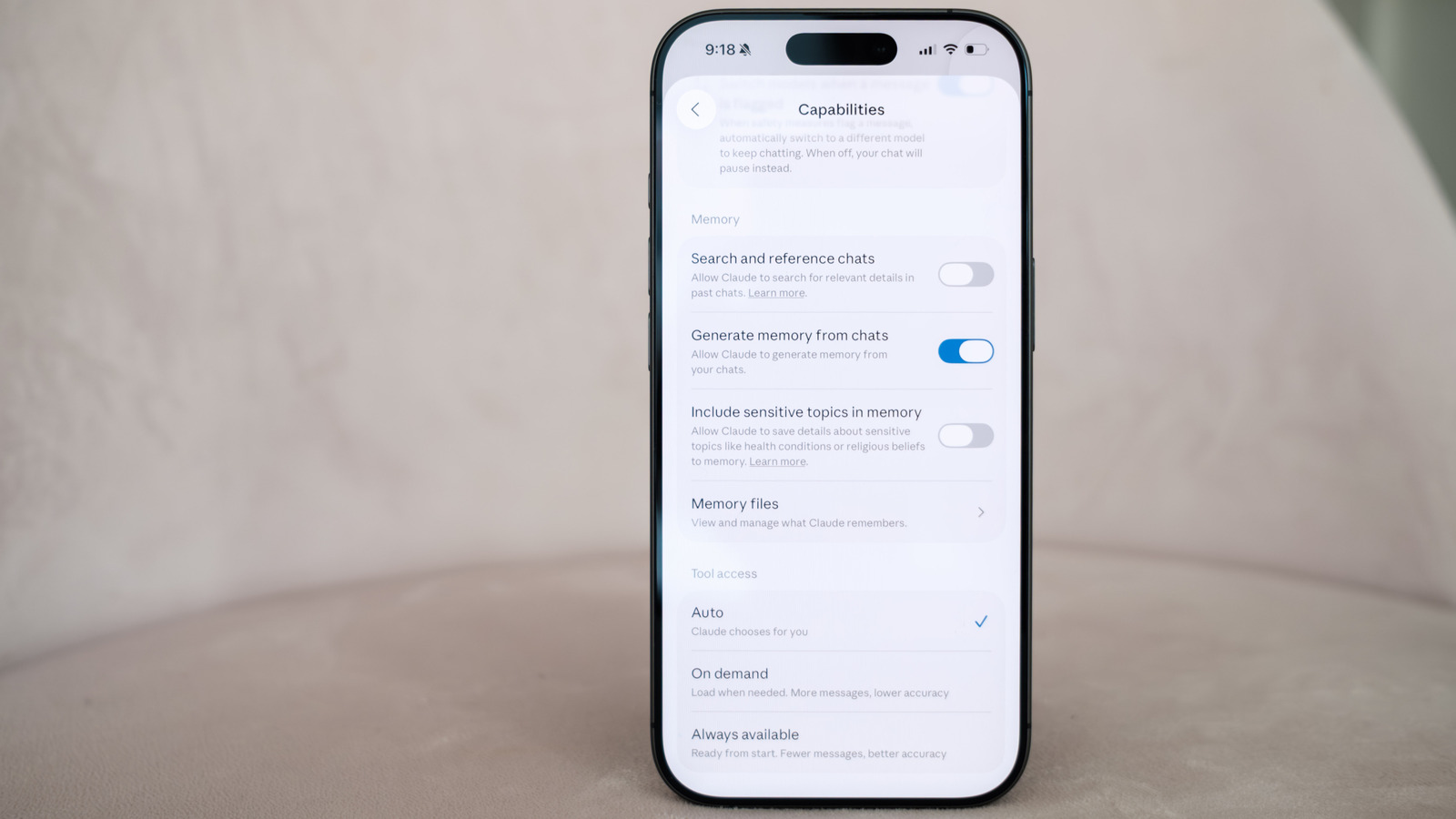
Anthropic has rolled out more granular controls letting Claude users edit what the chatbot remembers about them, building on the memory feature it introduced in summer 2025. Memory allows Claude to recall details from past conversations so users don't need to repeat context each time, and it is switched on by default for all users, including those on free accounts; a recent update also lets memory carry over between chats and Claude Cowork sessions. The new editing tools give people more say over which topics are stored, addressing privacy concerns around a chatbot retaining personal information.
Memory is organised by topic and can be edited via the web client at claude.ai. A new "Include sensitive topics in memory" setting is off by default, meaning Claude won't record details on health, race, religion, politics or gender identity unless a user opts in, and it will never store certain data such as government ID numbers. Users can also pause or permanently reset memory, silo it within specific projects, add standing information via a "Profile" section, or use Incognito mode to stop a chat being saved or used for training; Anthropic also offers a tool, added in March, for importing memory from other AI chatbots.
- Anthropic adds finer controls for editing Claude's chat memory.
- Users can restrict, pause, reset or hide sensitive memory topics.
- Incognito mode and project-based memory offer extra privacy options.