Built-in phone settings can screen or silence suspected spam calls
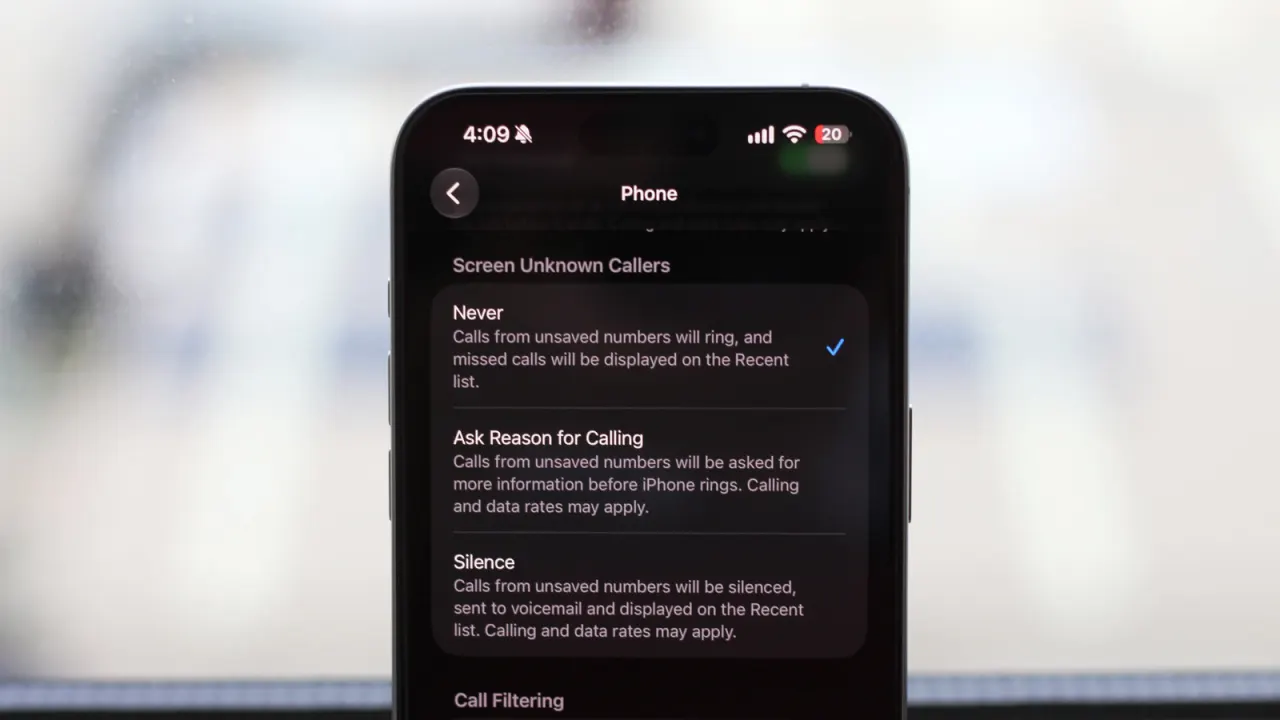
iPhone and Android phones have built-in tools to identify, screen or silence suspected spam calls, so users may not need to pay for a third-party service. These settings can reduce unwanted interruptions, though silencing unknown numbers may also mean missing legitimate calls from people who are not in your contacts.
On iPhone, users can send carrier-identified junk calls to voicemail, organise calls from unknown numbers, or screen them by asking why they are calling; call screening requires iOS 26 or newer and is available only in some countries. Android’s Google Phone app can warn about suspected spam or filter those calls automatically, provided the phone runs Android 6.0 or newer and the app is up to date and set as default. Some Pixel 6 and newer and supported Samsung phones also offer call screening, while carriers may provide their own spam protection.
- Built-in phone settings can help block or screen spam calls.
- Android spam filtering needs Google’s Phone app set as default.
- Silencing unknown numbers can hide legitimate calls too.
New here? Start with this
Unwanted phone calls have become a widespread problem for many mobile users, with spam callers disrupting daily routines and potentially targeting people with scams or sales pitches. Most people will have experienced calls from unknown numbers that seemed suspicious or simply unwelcome.
Both iPhones and Android phones now include built-in tools designed to tackle this issue, meaning users do not necessarily need to download or pay for a separate app to filter unwanted calls. Apple's iPhone allows users to send suspected junk calls to voicemail, organise calls from unknown numbers separately, or use a screening feature that asks callers to explain why they are ringing. Similarly, Google's Android phones, particularly newer Pixel and some Samsung models, can automatically alert users to suspected spam or filter those calls out entirely.
The catch is that blocking or screening unknown numbers might mean missing calls from legitimate contacts who are not saved in your phone's address book, such as a doctor's surgery or a business calling with important information. Users must therefore decide whether the convenience of fewer interruptions outweighs the risk of overlooking calls they actually need to receive.
Read the full article at the source →
Originally published by Engadget as “How to help stop spam calls on iPhone and Android”.