How to set up ChatGPT’s parental controls to protect your teen
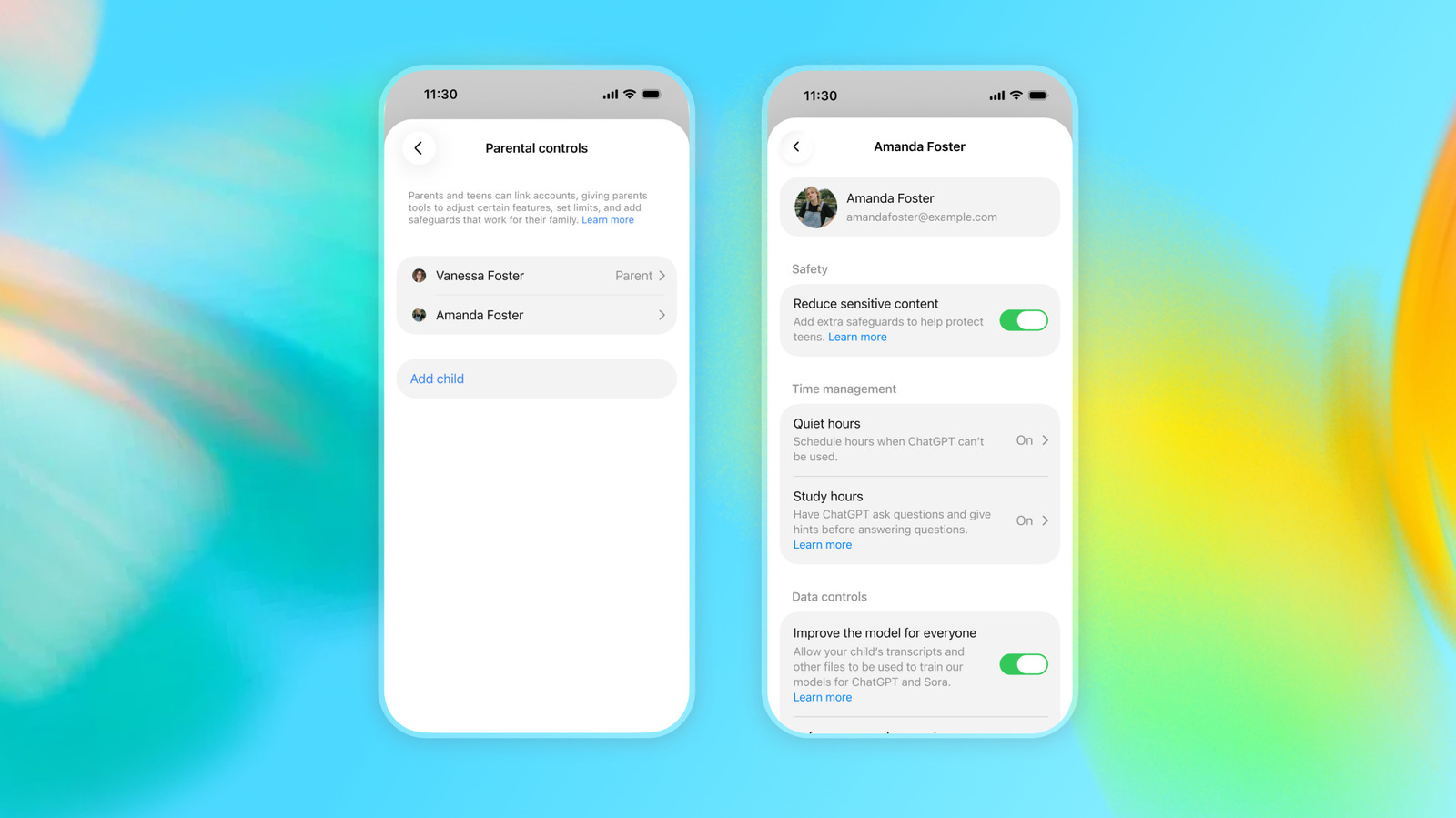
OpenAI launched ChatGPT for Teens in August as an educational, safety-focused version of its chatbot aimed at under-18s, offering stricter content controls and features meant to encourage healthier habits among young users. While the platform automatically enrols users it believes are minors, child safety experts have warned that the default settings don't go far enough, and many of the most important safeguards only work if a parent formally links their account to their teen's and manually switches them on.
To link accounts, a parent opens Settings, selects "Parental controls" (or "App settings" on mobile) and sends an invitation to their teen's email or phone number; teens can also initiate the link themselves. Once connected, parents gain access to around a dozen toggles, including reducing sensitive content (on by default), allowing OpenAI to use chats for model training (on by default), saved memory personalisation (varies by region), and access to Voice Mode, image generation and Study Mode (all generally on by default). Controls automatically lapse once OpenAI determines the user has turned 18, at which point both parent and teen are notified and the account reverts to standard ChatGPT.
- OpenAI's ChatGPT for Teens needs parents to manually enable key safety settings.
- Parents link accounts via Settings > Parental controls to unlock roughly a dozen toggles.
- Controls end automatically once OpenAI judges the teen has become an adult.