Apple boosts iPhone photo editing with improved object removal in iOS 27
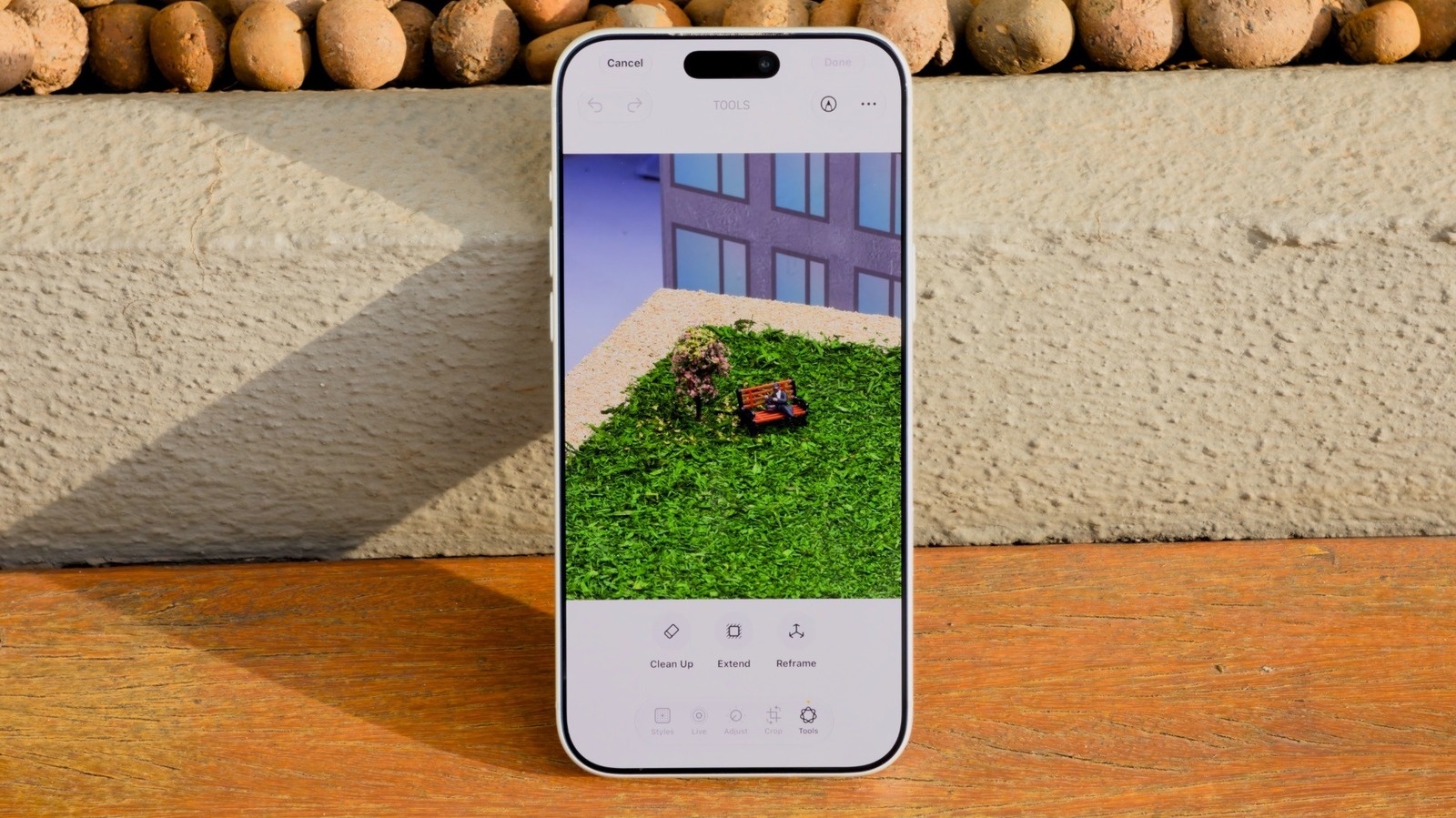
Apple's iOS 27 update brings a significant upgrade to the Clean Up tool within the Photos app, using improved AI models to more accurately remove unwanted objects from images, such as photobombers or background clutter. The feature, first introduced with the iOS 18 redesign of Photos, had previously lagged behind competing tools, but Apple's new AI processing options aim to close that gap and make object removal noticeably more reliable.
To use it, iPhone owners need iOS 27 installed and Apple Intelligence enabled, which requires an iPhone 15 Pro or later. Within the Edit menu, Clean Up now offers Fast and High Quality processing modes alongside an Auto setting, with Fast suited to simple edits and High Quality better at handling complex scenes such as crowded selfies, albeit more slowly and with greater battery use. iOS 27 also adds two related editing tools, Extend, which uses AI to generate additional image content around a photo's edges, and Reframe, which alters the apparent angle a photo was taken from; both can produce natural-looking results but sometimes generate inaccurate or "hallucinated" details.
- iOS 27 upgrades Photos' Clean Up tool with better AI object removal
- Requires iOS 27 and Apple Intelligence (iPhone 15 Pro or newer)
- New Extend and Reframe tools can alter photos, with mixed results
New here? Start with this
Apple Intelligence, Apple's suite of AI features built into the iPhone, is being expanded with iOS 27, the latest version of the iPhone's operating system. One area getting attention is photo editing, specifically a tool called Clean Up in the Photos app, which lets people digitally erase unwanted elements from pictures, such as a stranger walking through the background of a holiday snap. This kind of object-removal tool has become common on rival phones, and Apple has faced pressure to catch up.
Clean Up isn't new, having launched with an earlier redesign of the Photos app, but its results have been inconsistent, sometimes leaving smudges or odd patches where an object used to be. iOS 27 aims to fix that with upgraded AI models and more choice over how the tool processes an image. This matters because photo editing is one of the most visible ways ordinary users encounter AI on their phones, and how well it performs shapes perceptions of Apple's broader AI efforts, which have drawn criticism for lagging behind competitors like Google and Samsung.
Access to these features isn't universal: they depend on Apple Intelligence being switched on, which only works on an iPhone 15 Pro or newer, meaning many existing iPhone owners cannot use them without upgrading their device.
Both sides, in good faith
The strongest fair case each way — we don't pick a winner.
The case for
Advocates of the update welcome it as a genuine convenience upgrade that lets ordinary users tidy up cherished photos, such as removing a stranger from a holiday snap, without needing separate editing software or technical skill. They see tiered Fast and High Quality modes as a sensible trade-off that respects both battery life and image fidelity, and view Extend and Reframe as creative tools that help people rescue awkward compositions, framing this as Apple finally matching capabilities long available on rival phones.
The case against
Sceptics worry that easier, more convincing object removal and AI-generated image extension blur the line between a photograph as a record of reality and a partly fabricated image, particularly given Apple's own acknowledgement that these tools can produce hallucinated or inaccurate details. They argue that as such editing becomes seamless and default within the standard camera app, casual users may unwittingly create misleading images, and that photography's evidentiary value is eroded a little further each time manipulation is made this effortless and normalised.
Read the full article at the source →
Originally published by Engadget as “How to use the AI Clean Up tool in iOS 27 to remove unwanted objects in iPhone Photos”.