Audacity’s new look is finally here, along with its largest feature update in years
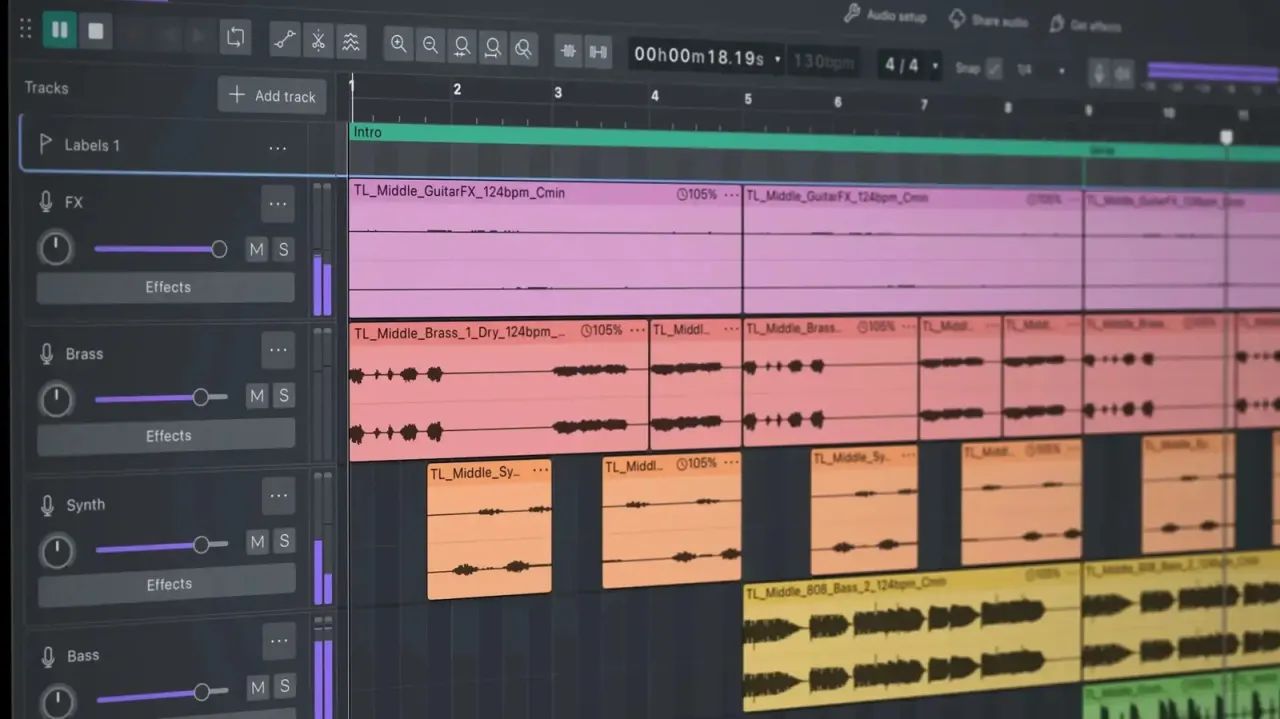
Audacity has released Version 4.0, its biggest update since Version 3.0 five years ago, adding a colourful dark mode and significantly expanded editing tools to the free, open-source audio editor. The Muse Group developers have tried to balance a substantial visual and functional overhaul with continuity for existing users, offering a classic-look option during setup for those who prefer the old interface, while introducing capabilities previously found only in paid professional software such as Ableton Live and Pro Tools.
Key additions include expanded non-destructive editing with overlapping clips, multi-clip selection and grouping, a new envelope tool for real-time gain automation, and a one-click splitting tool. Users can now edit down to the sample level and each track gets its own meter for spotting clipping. The controversial removal of sync-lock has been offset by new keyboard shortcuts replicating its function, and the update also brings more robust plugin support, with further details available on Audacity's website and an accompanying YouTube video.
In short
- Audacity 4.0 launches with dark mode and a redesigned interface
- Adds pro-level tools like envelope automation and sample-level editing
- Classic look still available; sync-lock removed but replicated via shortcuts
Explained simply
Audacity is a free, open-source programme for recording and editing sound on computers. It is used by people making podcasts, music and other audio, and is developed by Muse Group.
Audio editors arrange sound as tracks and clips, which can be cut, moved and adjusted. Audacity’s earlier versions offered a familiar interface and core editing tools; Version 4.0 builds on those foundations with more ways to change sound while keeping the original recording intact.
The update matters to both long-time users and people choosing an audio editor for the first time. Its new tools bring Audacity closer to features found in paid professional software, while a classic-look option gives existing users a way to keep the older appearance.