What is Theater Mode on your Apple Watch and when should you use it?
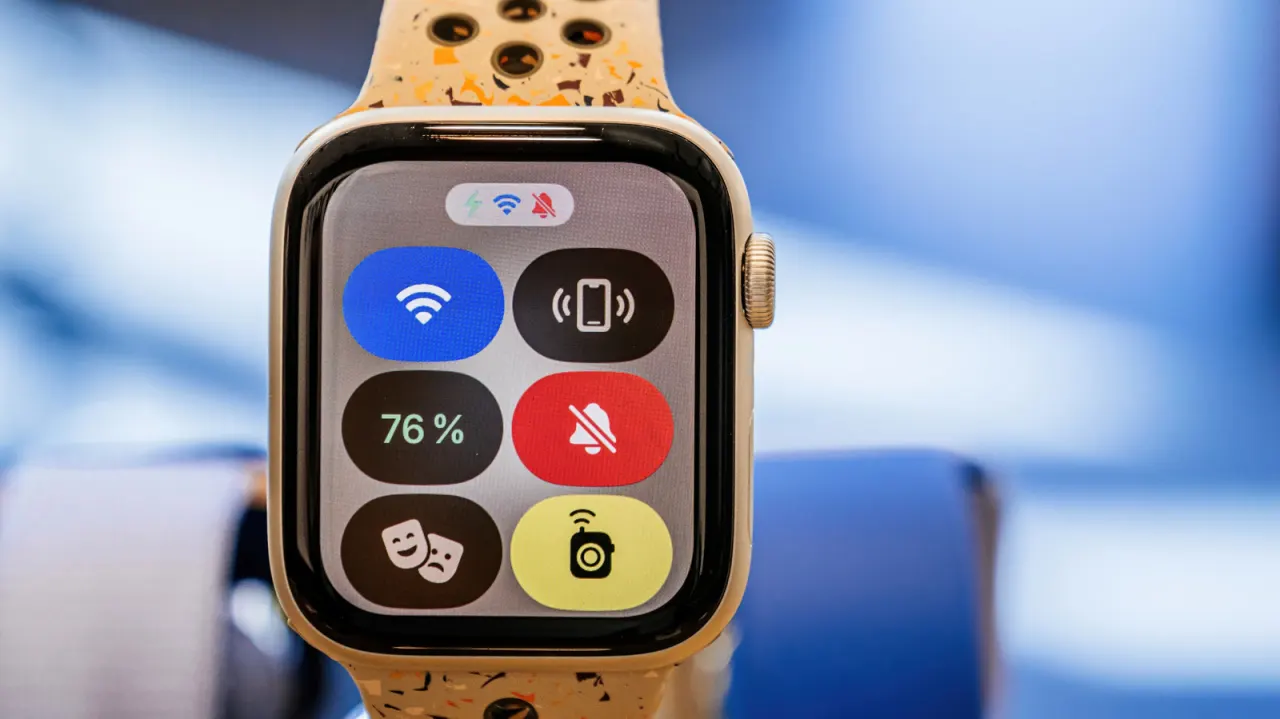
Theatre Mode makes an Apple Watch quieter and less visually distracting while still allowing its wearer to receive notifications. It is useful in cinemas, theatres, meetings and other settings where a bright screen or sound could disturb others.
Introduced with watchOS 3.2, the feature works on every Apple Watch, including the original 2015 model. It silences the watch, dims and disables the display, and stops it waking when the wearer raises their wrist; haptic alerts can remain on. To activate it, open Control Centre with the side button and tap the comedy and tragedy masks icon. It must be switched off manually, and can also reduce battery use and suppress selected biometric readings.
In short
- Theatre Mode dims and silences an Apple Watch.
- Haptic notifications can still be felt.
- It must be turned off manually.
Explained simply
Apple Watch is a wearable device that can show notifications, make sounds and use its screen to display information. In quiet or dark places, those alerts or a screen lighting up may distract people nearby.
Theatre Mode changes how the watch behaves while it is on: it silences sounds and keeps the display dark unless the wearer taps or presses it, while haptic alerts can still be felt. It is available on all Apple Watch models and is switched on or off through Control Centre.