Technology news and discussion on TalkFuse.
One terminal command gave my forgotten Android device a desk job
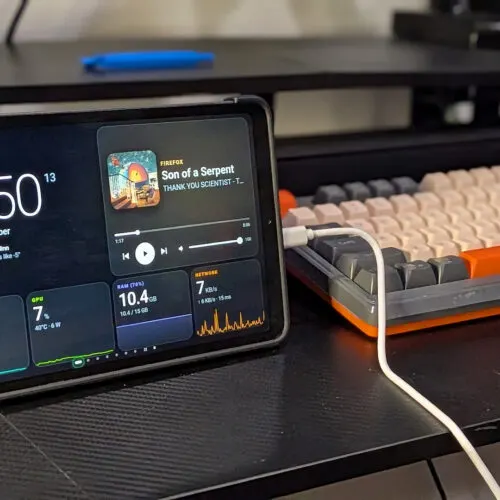
PhoneBox is a free, open-source dashboard that turns an old Android phone or tablet into a custom display and controller for a computer. The article’s author used it to give a spare tablet a practical role, showing how unused devices can be repurposed with little setup.
Installation took less than a minute: the tablet needed developer mode and USB debugging, and a Linux terminal command installed the PC software and Android app. PhoneBox is MIT-licensed, supports Android 5.0 and later, and must be sideloaded; its catalogue offers 131 widgets, including RSS feeds, Steam game launching and Home Assistant controls. The Windows companion app is unsigned and may trigger a SmartScreen warning.
In short
- PhoneBox repurposes older Android devices as computer dashboards.
- Installation took the author less than a minute.
- Its catalogue includes 131 customisable widgets.
Explained simply
PhoneBox is a free tool that lets an old Android phone or tablet act as a custom screen and controller for a computer. It connects the Android device to companion software on the computer and offers widgets for tasks such as reading news feeds, launching Steam games or controlling smart-home equipment.
To set it up, users enable developer mode and USB debugging on the Android device, then install the software and app. PhoneBox works on Android 5.0 and later, and the app must be installed outside the usual app store. Its open-source MIT licence allows the software to be used and adapted under that licence.