iOS 27 brings adjustable transparency slider for Liquid Glass
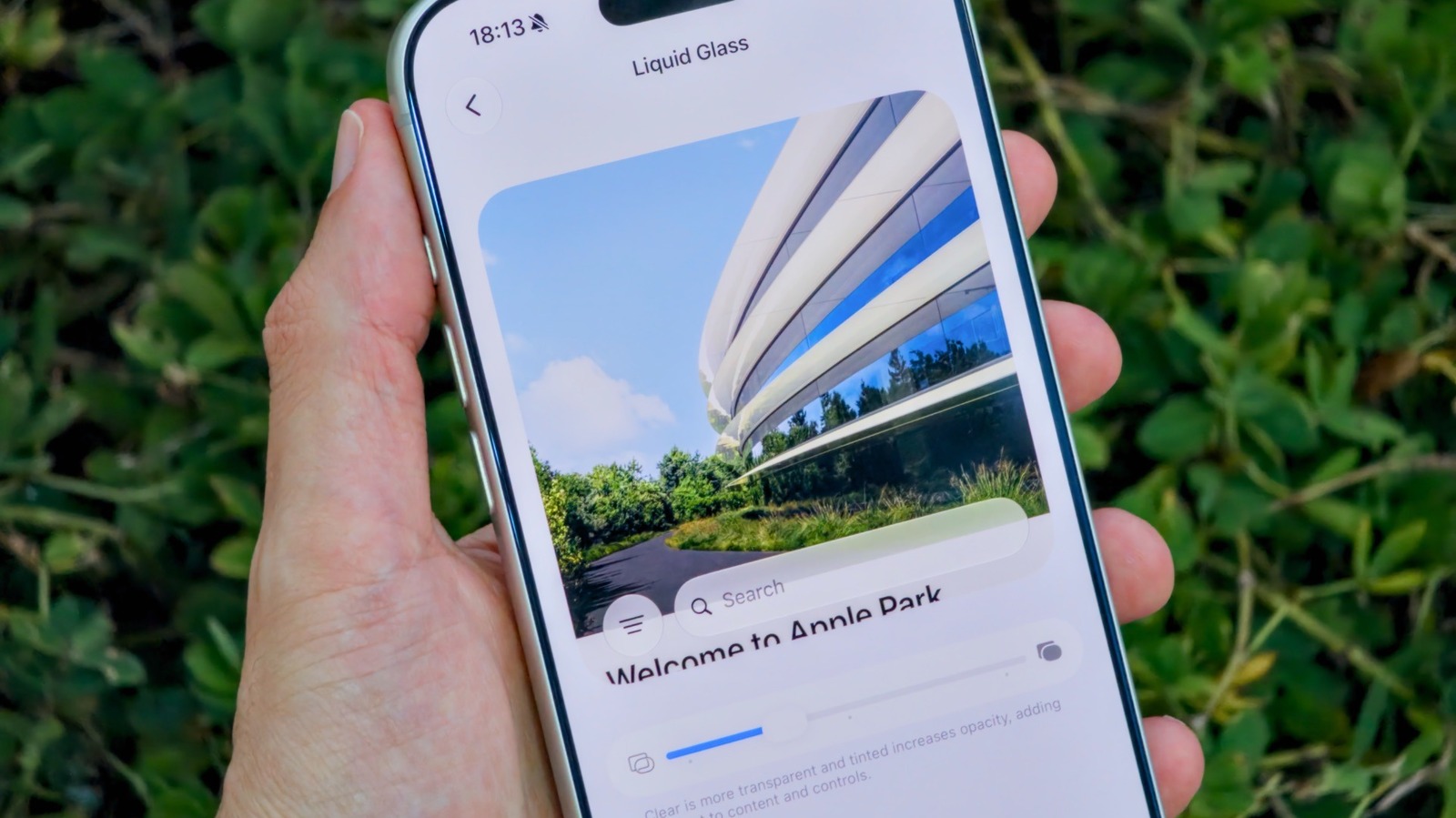
Apple has expanded the customisation options for its Liquid Glass interface with the release of iOS 27, giving users a slider to fine-tune the effect's transparency instead of the more limited toggles offered previously. The move responds to sustained criticism of the glossy design language, which some users felt hurt readability, and follows an earlier fix, Tinted Mode, introduced in iOS 26.1 that reduced opacity and boosted contrast but failed to satisfy all critics.
To adjust the effect, users go to Settings, then Appearance, then Liquid Glass, where a slider replaces the old options: dragging left makes the interface look more glass-like, dragging right makes it more opaque, and the centre position blends both, with a live preview shown on screen. The Lock Screen's glass intensity is controlled separately from this slider. iOS 27 is compatible with iPhone 11 and later, and those wanting to remove the effect almost entirely can enable Reduce Transparency under Accessibility > Display & Text Size; the update had a public rollout in September after a period of developer and beta testing.
- iOS 27 adds a slider to customise Liquid Glass transparency and opacity.
- Found in Settings > Appearance > Liquid Glass; works on iPhone 11 and newer.
- Reduce Transparency (Accessibility) can nearly disable the effect entirely.
Read the full article at the source →
Originally published by Engadget as “How to adjust the Liquid Glass effect on your iPhone with iOS 27”.