Drivers can tailor Android Auto’s app launcher, map layout and playback settings
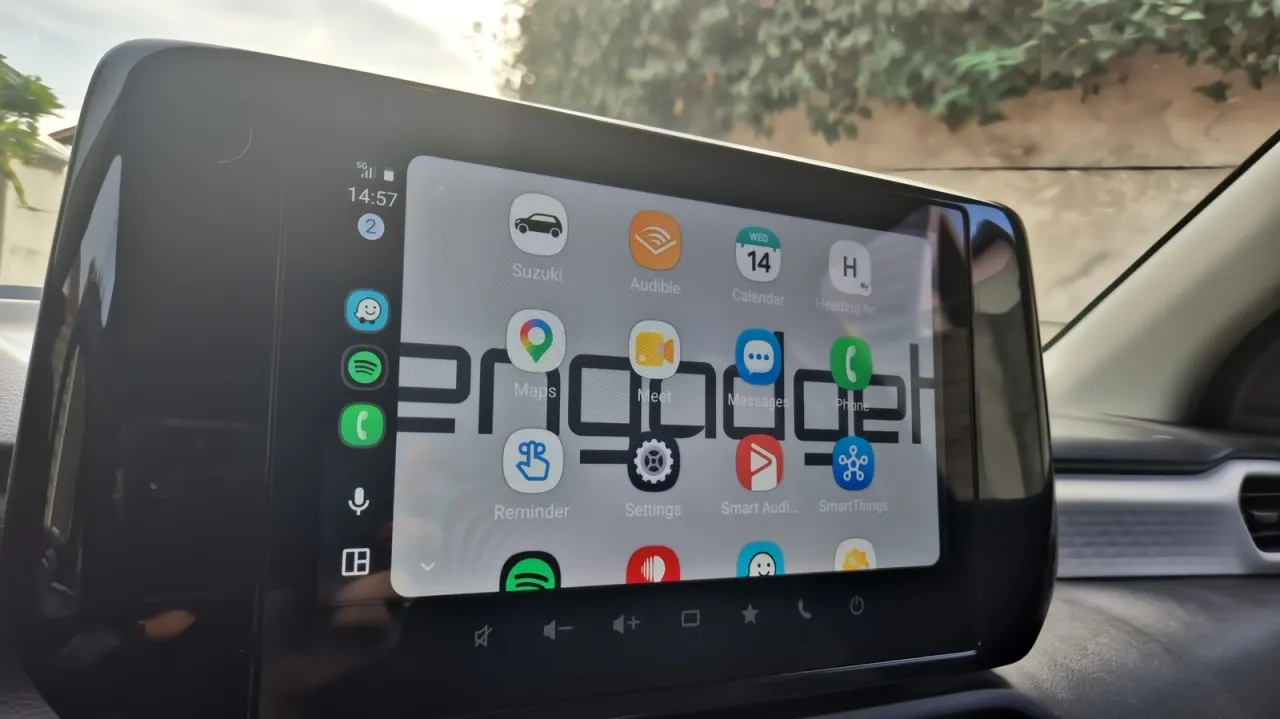
Android Auto offers several settings that let drivers tailor the car display to their routines, from changing which apps appear to choosing where maps and media sit. These adjustments can make frequently used features easier to reach and help drivers keep navigation within quick glance distance.
Most changes are made on the phone under Android Auto’s “Customize launcher” settings, where users can hide or reorder apps and add shortcuts for contacts or Assistant actions. From the car screen, drivers can use their phone’s wallpaper; other settings let them choose the map layout, force day or night mode, and turn off automatic media playback at startup.
In short
- Reorder or hide apps in the launcher.
- Add shortcuts for contacts or Assistant actions.
- Adjust layout, wallpaper, map mode and startup playback.
Read the full article at the source →
Originally published by Engadget as “How to change and customize your Android Auto display”.