How to restore real-time updates on iPhone and CarPlay
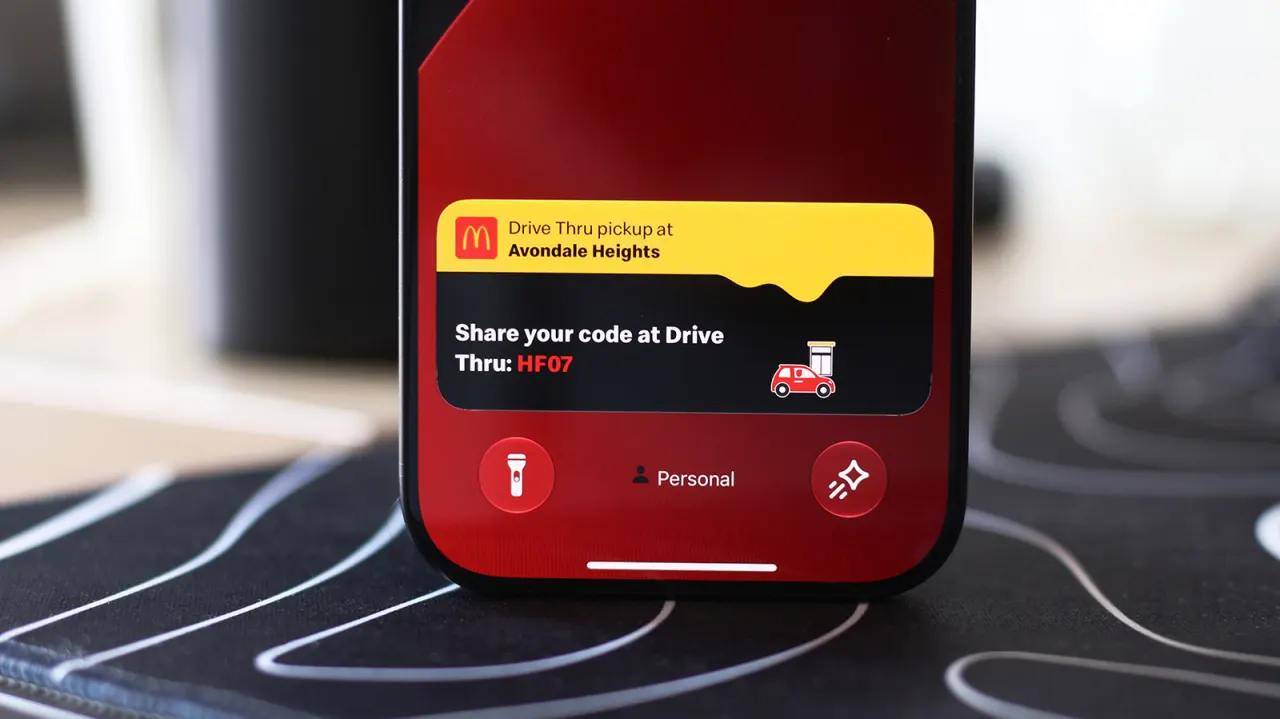
Live Activities are iPhone and CarPlay features that display real-time information such as delivery status, navigation and sports scores without requiring users to open apps. These appear on the Dynamic Island, the pill-shaped cutout on recent iPhones, making them a practical tool for tracking updates whilst using your device.
Live Activities are enabled by default but can be switched off. Users can enable them via Settings > Apps > select app > Live Activities slider, and for Lock screen display must go to Settings > Face ID & Passcode > Allow Access When Locked. On CarPlay, Live Activities appear automatically on the Dashboard and can be toggled on or off in Settings, with users needing to ensure Driving Focus is not running if they fail to display.
- Live Activities display real-time app updates without opening apps
- Feature enabled by default but can be toggled off in settings
- CarPlay shows Live Activities automatically on the dashboard
New here? Start with this
Live Activities are a feature on recent iPhones and in CarPlay that show real-time information like delivery updates, navigation and sports scores without you having to open an app. They provide quick access to information that is constantly changing.
These updates appear on the Dynamic Island, the pill-shaped area at the top of newer iPhones, or on the CarPlay dashboard whilst driving. This makes them convenient to check quickly whilst using your phone or keeping your eyes on the road.
Many people find Live Activities valuable for tracking parcels, following turn-by-turn directions or keeping up with sports scores as they happen. The feature is designed to sit in the background and only show information when it's relevant to you.
Read the full article at the source →
Originally published by Engadget as “How to enable Live Activities on iPhone and CarPlay”.