Video games news, releases, esports and culture — all the biggest gaming stories in one place.
I tried the sequel to Task Manager and it has too many special effects
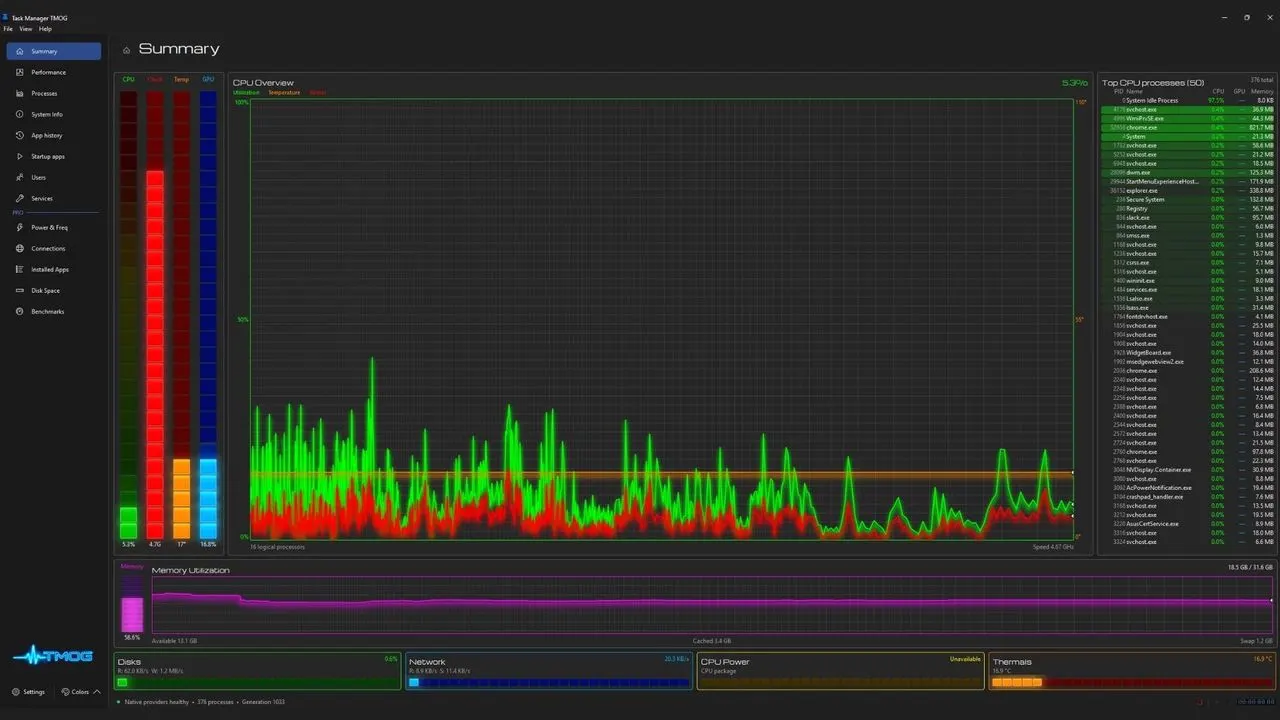
Former Microsoft engineer Dave Plummer has released Task Manager OG, a cross-platform monitoring application presented as a modern successor to the Windows Task Manager. PC Gamer’s review finds that it offers some useful consolidated system information, but argues that its flashy default appearance, greater resource use and inconsistent readings limit its appeal while it remains in beta.
The app runs at 60 Hz and includes mouse tracking, a summary page, CPU core data, and power and thermal modules, although the reviewer found the latter did not work reliably. In testing, it reported Chrome using nearly 11 GB of memory compared with just over 8 GB in Windows Task Manager, and used about 120 MB of memory and 3–4% CPU versus 105 MB and under 1% for Task Manager. A future paid Pro version is planned but is not yet available; its proposed features largely overlap with tools such as HWinfo and existing utilities on Windows, macOS and Linux.
In short
- Task Manager OG adds features but remains an imperfect beta.
- Its visual effects and resource use drew criticism.
- Existing monitoring tools offer much of the same functionality.
Steelman: both sides, in good faith
The strongest fair case each way — we don't pick a winner.
The case for
Task Manager OG could appeal to people who want a single, modern interface for system data across different operating systems. Its live CPU details and planned power and thermal tools offer a broader view than a basic process list, and the beta’s shortcomings may improve before release.
The case against
A monitoring tool should give dependable readings and help users diagnose their systems without becoming a significant drain itself. The review’s inconsistent memory figures, unreliable modules and higher resource use raise reasonable doubts about its usefulness, while its visual effects and proposed paid features may add little for people already served by established utilities.
Explained simply
Windows Task Manager is a built-in tool for seeing which programmes are running and how much of a computer’s memory and processing power they use. Dave Plummer, a former Microsoft engineer, created Task Manager OG as a cross-platform alternative, aimed at people who want system information gathered in one place.
The app is still in beta, meaning it is unfinished and may change. Its design and readings matter because users may rely on this kind of tool to understand what their computer is doing, while other monitoring utilities are already available on Windows, macOS and Linux.