Entertainment news and discussion on TalkFuse.
I’m watching YouTube videos in glorious stereoscopic 3D on my Steam Frame with just a free plugin and a long-forgotten dream of a new Nintendo 3DS
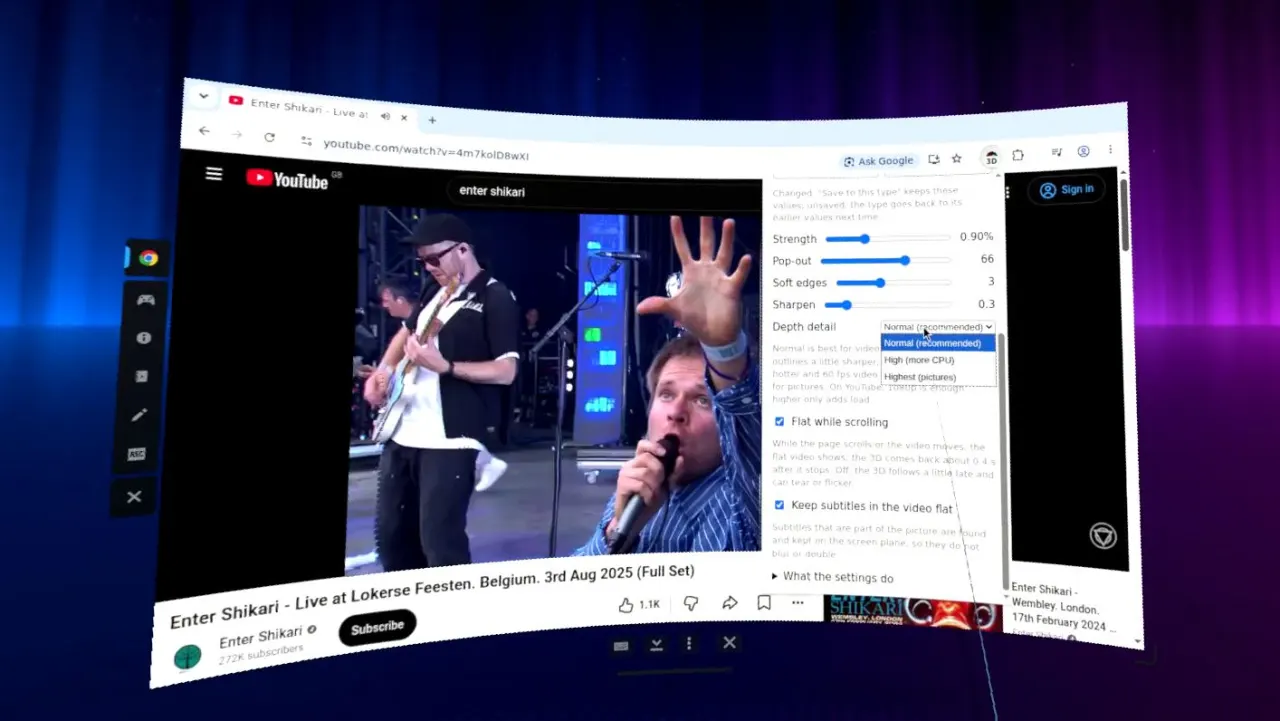
A free Chrome plugin called framedepth converts standard videos into stereoscopic 3D when watched in Chrome on Valve’s Steam Frame headset. The writer says the effect adds a modest but enjoyable sense of immersion to YouTube videos, reviving some of the appeal of once-popular 3D viewing.
The plugin was made by GitHub user guix8 and can be adjusted through a Chrome menu, including a slider that strengthens the effect. Installation takes several steps: the Steam Frame must be in developer mode, Chrome must be installed through SteamOS, and the plugin must be downloaded and installed using terminal commands; Chrome’s extension developer mode is also required.
In short
- Framedepth adds stereoscopic 3D to browser videos on Steam Frame.
- The effect is subtle but makes viewing more engaging.
- Installation requires developer mode and several manual steps.
Explained simply
Stereoscopic 3D creates a sense of depth by showing each eye a slightly different image. It became a popular feature in some films and handheld devices, including Nintendo’s 3DS, but is less common in everyday video viewing.
Valve’s Steam Frame is a virtual reality headset, and Chrome is a web browser that can play YouTube videos. The free framedepth plugin, made by GitHub user guix8, processes ordinary videos to give them a 3D effect; setting it up involves changing the headset’s developer settings and using terminal commands.
The story matters to people interested in virtual reality and 3D media because it suggests a way to revisit the format using existing videos. The effect is a matter of viewing experience, and the plugin requires more setup than a typical browser extension.
Entertainment Gaming Trending Weird & Viral