What’s the difference between USB 3.0 & 2.0 and which should you use?
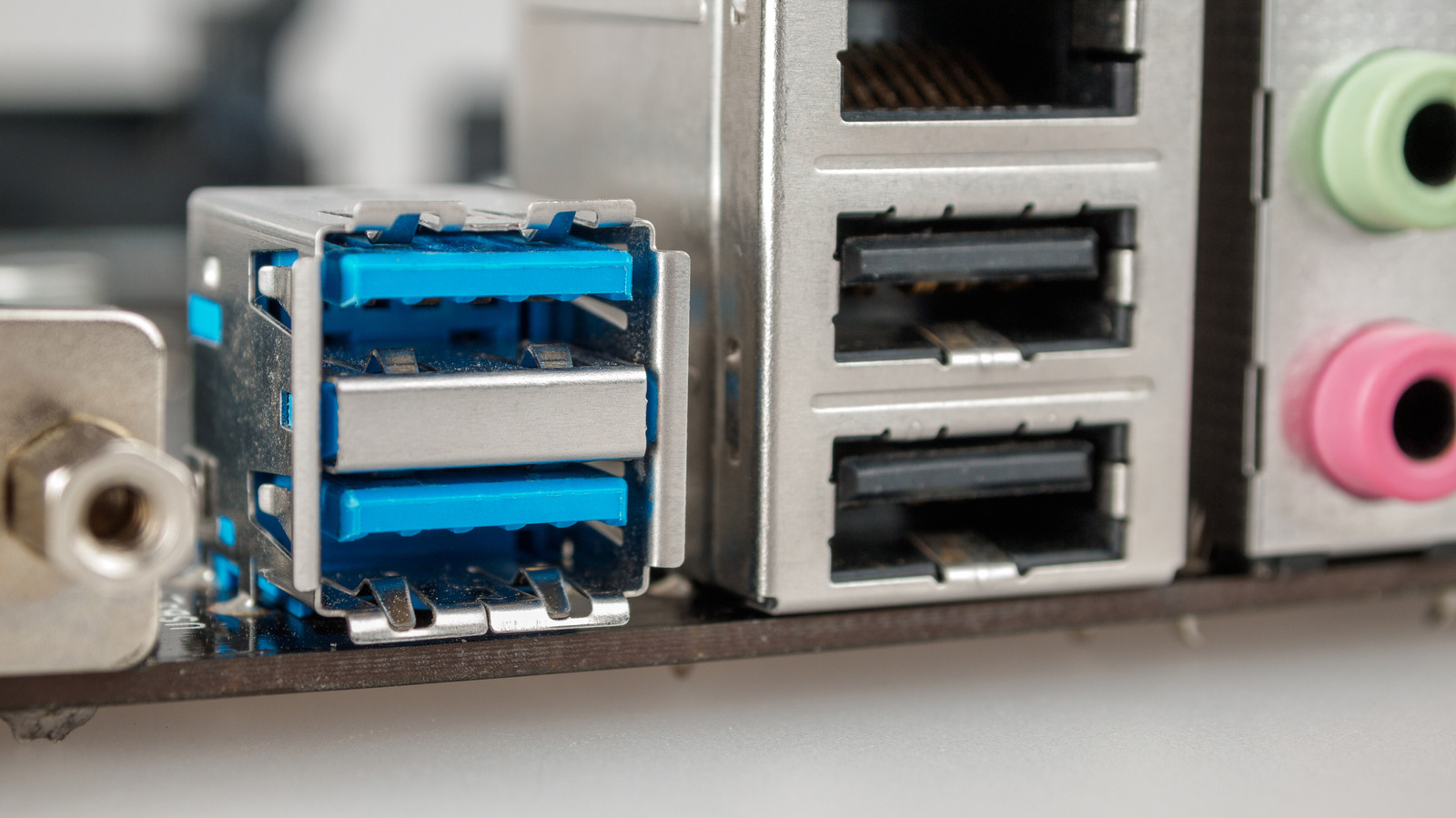
USB 2.0 and USB 3.0 ports look almost identical but differ significantly in speed and capability, which matters for anyone deciding where to plug in peripherals like external drives or webcams. Using the wrong port won't stop a device working, thanks to backwards compatibility, but it can noticeably limit performance, particularly for faster devices such as SSDs.
USB 3.0 sockets are typically blue (occasionally purple) inside, whereas USB 2.0 ports are usually black or white. USB 2.0 tops out at 480 Mbps with real-world transfer speeds of 20-40 MB/s, while USB 3.0 can reach up to 5 Gbps (or 20 Gbps for USB 3.2), translating to 300-500 MB/s in practice; it also supplies more power, at 4.5 watts versus 2.5 watts. Low-demand devices like mice and keyboards are fine on USB 2.0, which remains cheaper to manufacture, while bandwidth-hungry gear such as SSDs and 4K webcams should use USB 3.0 to avoid being bottlenecked.
- USB 3.0 is much faster and more powerful than USB 2.0
- USB 3.0 ports are usually blue; 2.0 ports are black/white
- Use USB 2.0 for mice/keyboards, USB 3.0 for SSDs and webcams