Spotify downloads and cached data can take up phone storage
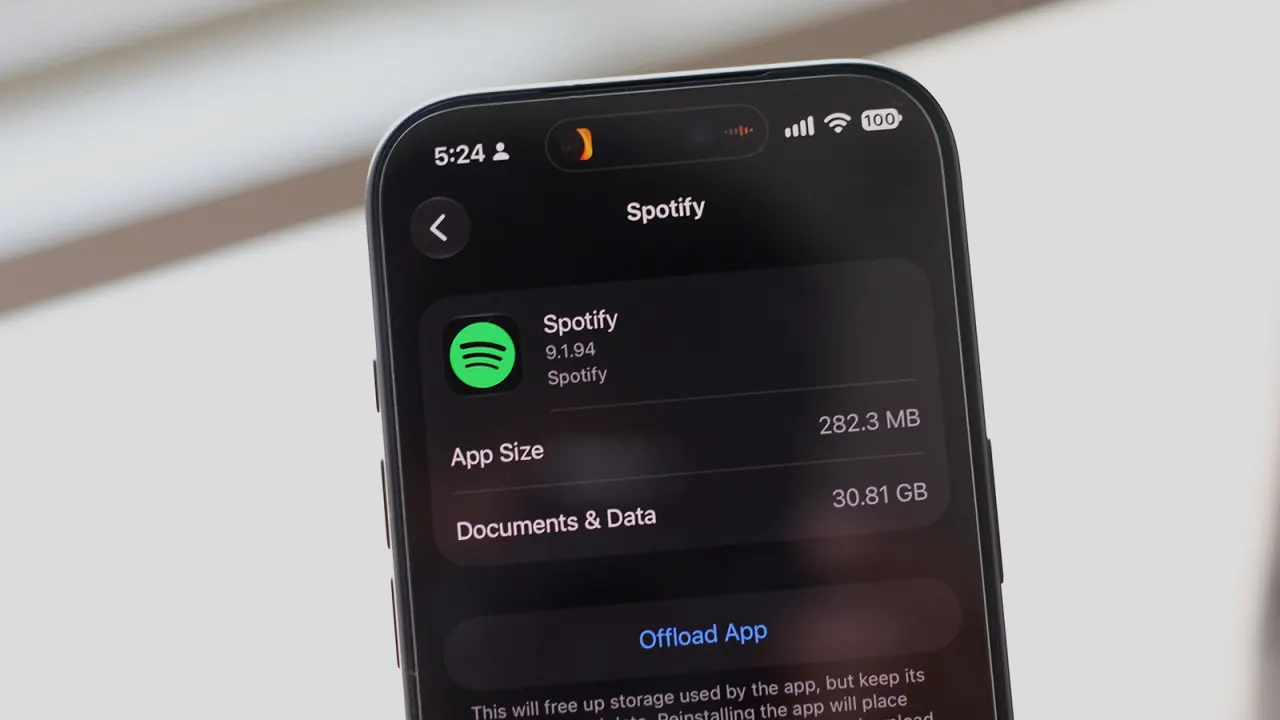
Spotify can use a significant amount of phone storage when music is downloaded for offline listening or when the app’s cache builds up. Checking app storage can help identify whether Spotify is contributing to a low-storage warning, and removing unwanted downloads or cached data can free space.
On iPhone, storage use is listed under Settings > General > iPhone Storage; Android menu names vary by device. In Spotify, users can remove selected downloads from the Downloaded section of Your Library, delete all downloads in Data-saving and offline settings, or lower download quality. Spotify says Low quality uses about 24 kbps; desktop users can remove downloads in Storage settings, while the web player does not support offline downloads.
In short
- Downloads and cached data can make Spotify use substantial storage.
- Remove selected songs or all downloads in the app’s settings.
- Low-quality downloads use about 24 kbps.
Explained simply
Spotify is a music streaming service that lets people listen online or save songs and podcasts to their phones for times when they are offline. Saved audio takes up space on the device, and Spotify also stores temporary data, known as a cache, to help the app run.
How much space the app uses depends on what has been downloaded and how much temporary data has built up. This can matter when a phone is running low on storage, which is also used for photos, videos and other apps.
Read the full article at the source →
Originally published by Engadget as “Why your Spotify might be using so much storage”.