How to adjust the custom EQ settings for your AirPods in iOS 27
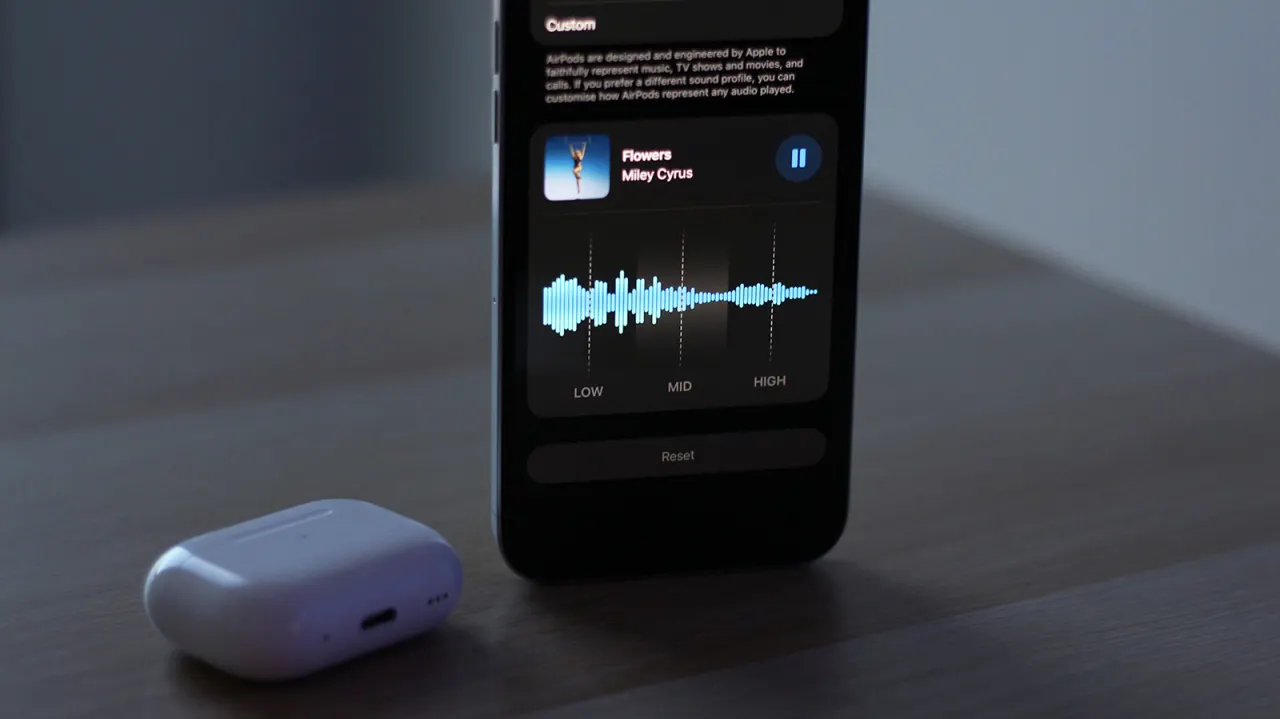
Apple’s iOS 27 beta introduces a custom equaliser for compatible AirPods, giving users direct control over bass, mid-range and treble for the first time. The feature matters because it offers a simple way to personalise sound without relying on music-app settings or more technical multi-band equalisers.
Users need an iPhone, iPad or Mac running the latest beta software, plus compatible AirPods with beta firmware; reports indicate H2-equipped models including AirPods Pro 2, Pro 3, AirPods 4 and AirPods Max 2 may support it. The setting is found under AirPods settings in Audio & Routing > Equalizer, where the “Custom” profile provides three sliders; a reset button restores a flat sound profile, and the adjustments are separate from Apple Music’s own EQ settings.
- iOS 27 beta adds a three-band AirPods equaliser.
- Compatible H2 AirPods may receive the feature.
- Settings affect AirPods separately from Apple Music EQ.
New here? Start with this
An equaliser changes the balance of low, middle and high sounds in music. Raising the bass can make low notes more prominent, while adjusting the mid-range or treble changes the emphasis on voices, instruments and higher notes.
AirPods are Apple’s wireless headphones, and their settings can be changed from a paired iPhone, iPad or Mac. Some newer models use Apple’s H2 chip, which handles audio features; compatibility can also depend on the device’s software and the AirPods’ firmware.
Apple Music has its own sound settings, but those apply within that app. A separate AirPods equaliser can affect audio from other apps too, giving listeners another way to tailor sound to their preference.