Technology news and discussion on TalkFuse.
Apple HomeView Review (2026): Should’ve Been Better
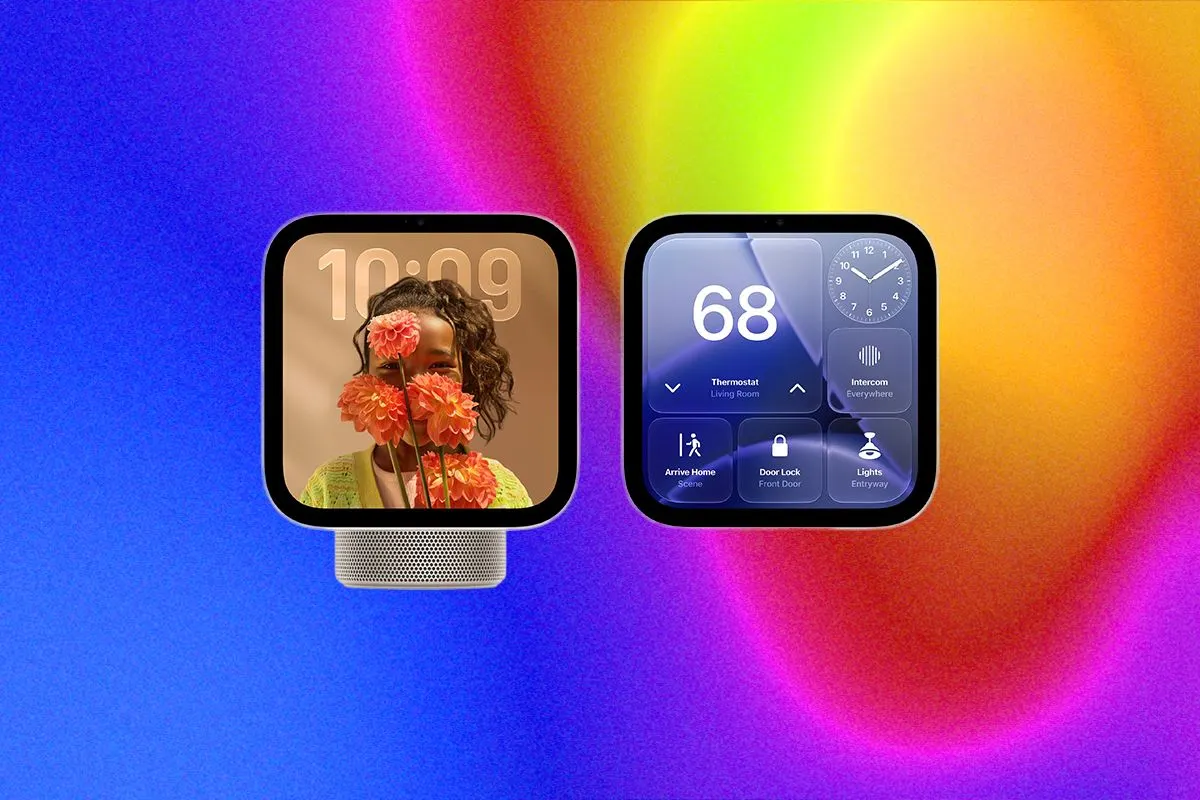
Apple’s HomeView is the company’s first smart display, arriving nearly a decade after Amazon’s Echo Show. After almost two weeks of testing, the reviewer found it useful for controlling smart-home devices, making calls and finding a misplaced iPhone, but felt it offered too little for its price and was best suited to committed Apple users.
The HomeView has a seven-inch square screen and ten preloaded display layouts, with options for weather and home-camera views. It has no app store, and some functions depend on Apple services such as iCloud and Photos. Siri struggled with music requests and took a long time to answer simple questions, although FaceTime and Messages worked well.
In short
- Apple has entered the smart-display market with a seven-inch device.
- HomeView works best for people invested in Apple services.
- Siri struggled with music and simple questions.
Steelman: both sides, in good faith
The strongest fair case each way — we don't pick a winner.
The case for
For households already invested in Apple, HomeView brings smart-home controls, camera views, calls and useful iPhone-finding features into one familiar device. Its FaceTime and Messages support, along with customisable display layouts, may make it a convenient shared screen for everyday home use.
The case against
At its price, buyers may reasonably expect a more capable and responsive display, yet HomeView has no app store and relies on Apple services for some features. Siri’s slow answers and trouble with music requests limit its usefulness, especially for people who want a flexible smart display or are not committed to Apple’s ecosystem.
Explained simply
A smart display combines a screen and speaker with voice controls and links to other devices around the home. Products such as Amazon’s Echo Show have been on the market for years, while Apple’s HomeView is the company’s first entry in this category.
These devices can show information such as the weather, display camera feeds, play music and help control connected lights or other appliances. What they can do often depends on the maker’s services and the other devices a household uses.
The key question for buyers is how well a display fits into their existing home and digital services, as well as what it offers for its price. Apple users may find links to services such as FaceTime and Photos useful, while people using other systems may have different needs.