Technology news and discussion on TalkFuse.
12Members
8Posts
1Active now
14,605Stories
5 things you didn’t know Steam’s overlay could do
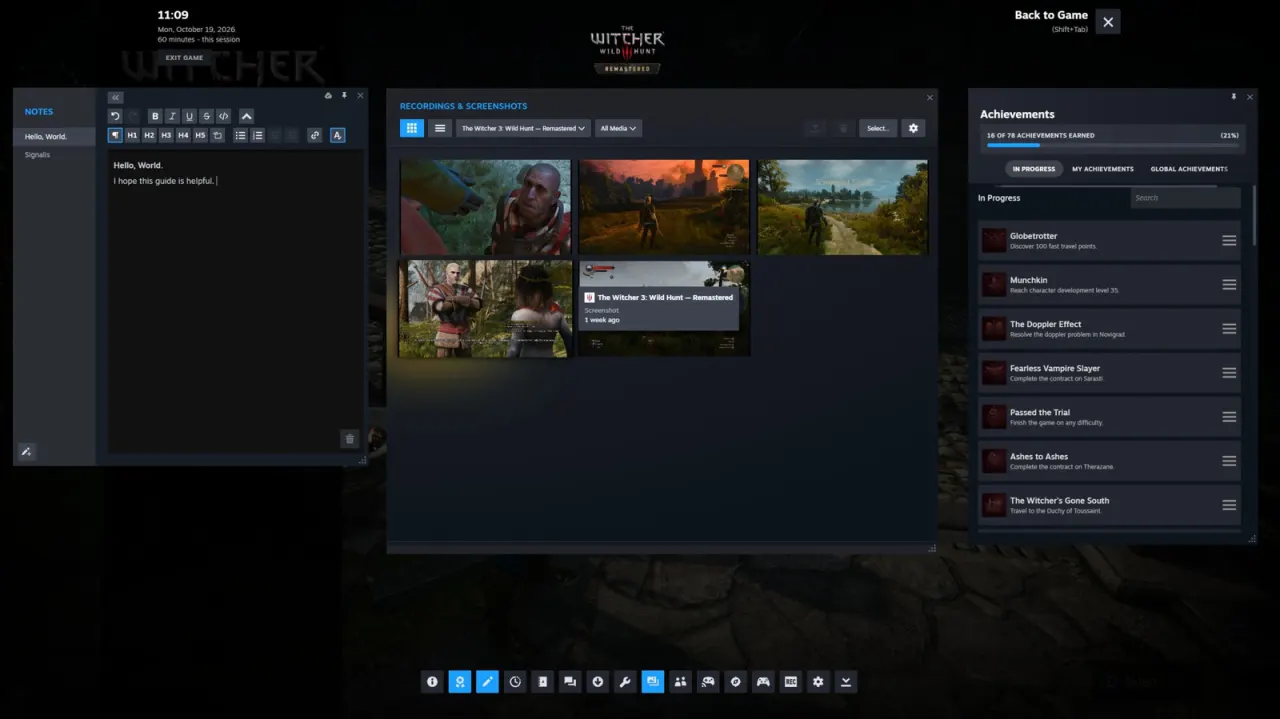
Valve’s redesigned Steam overlay offers far more than quick access to friends while playing. Its tools let players look up help, keep notes and manage playtime without leaving a game, making it useful for people who want to stay focused or fit gaming into short breaks.
Opened with Shift + Tab by default, the overlay can be customised for each game and disabled in Steam’s settings. It includes a built-in browser, community guides, a text editor, timers and pinned widgets; players can also view and share screenshots and recordings, including via the Steam Mobile app. Remote Play Together lets up to four people join supported local co-op games online, even if guests do not own the game.
In short
- Steam’s overlay includes tools beyond chat and friends.
- Players can browse guides, take notes and set timers in-game.
- Screenshots and supported co-op sessions can be shared.