Technology news and discussion on TalkFuse.
What the tiny key icon means on your Android device
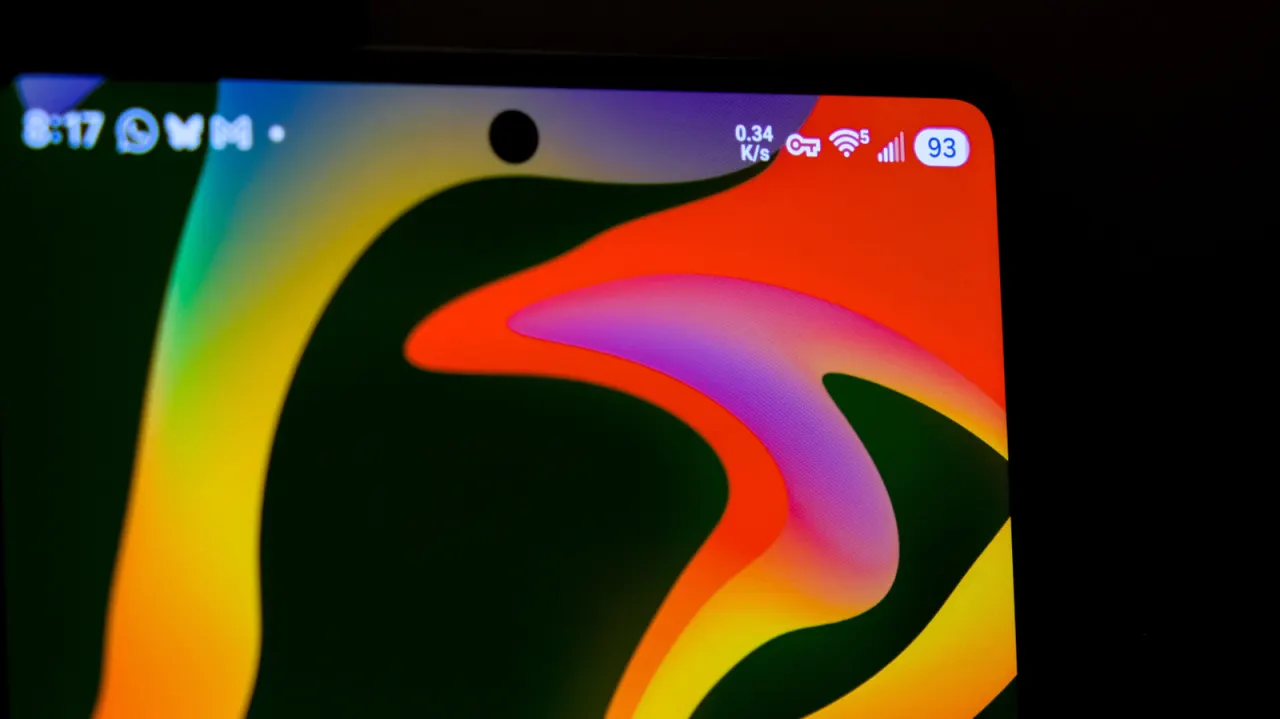
The key icon in an Android status bar indicates that a VPN is active and encrypting internet traffic. It serves as a visible reminder that the VPN connection is on, and can alert users if it disconnects, which matters for people relying on it to protect their traffic from third parties.
Most Android phones do not offer a built-in way to hide the icon while a VPN is running. Samsung Galaxy users can hide it with the Good Lock suite’s QuickStar module; otherwise, removing it requires disconnecting the VPN through its app or the phone’s VPN settings. VPNs can conceal an IP address from networks, internet providers and websites, but do not make users fully anonymous, as accounts, cookies and device fingerprinting can still identify them.
In short
- The key icon means a VPN is active.
- It signals that internet traffic is encrypted.
- VPNs improve privacy but do not make users anonymous.
Explained simply
A VPN sends your internet traffic through an encrypted connection to a remote server. This can make it harder for the network you are using or your internet provider to see that traffic, and can hide your usual IP address from websites.
On Android, a small key in the status bar shows that a VPN connection is active. The icon can help users notice if the connection has stopped, since traffic may then no longer have the same protection.
A VPN does not make someone fully anonymous online. Websites may still recognise people through signed-in accounts, cookies or details about their device.